IPTV Subscription UK: What to Know Before Choosing a Streaming Service
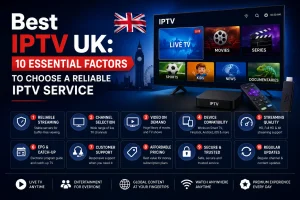
IPTV subscription UK options give viewers another way to access television and on-demand entertainment over an internet connection. Before choosing a service, it is important to compare streaming quality, compatible devices, internet requirements, subscription costs and customer support. Whether you watch live television, films, documentaries or sports, the right choice depends on your viewing habits and the content you are authorised to access. This guide explains seven essential factors to consider before selecting an IPTV service in the UK. What Is IPTV and How Does It Work? IPTV stands for Internet Protocol Television. Rather than delivering television exclusively through traditional terrestrial, satellite or cable broadcasting, IPTV uses internet protocol networks to deliver television content. Depending on the provider and service, viewers may have access to live television, on-demand programmes, films and other forms of digital entertainment. The exact selection varies, so it is important to check what each subscription actually includes. IPTV can be used on compatible smart TVs, streaming devices, smartphones, tablets and computers. However, compatibility depends on the provider’s platform, supported applications and device requirements. It is also important to distinguish authorised IPTV services from unauthorised streams. A professional-looking website or a large channel list does not automatically mean that a provider has the necessary rights to distribute its content. 1. Check the Channels and Content You Actually Need One of the first steps when choosing an IPTV subscription in the UK is identifying the content you want to watch regularly. Some households prioritise British entertainment and news channels, while others are interested in international programming, films, documentaries or live sports. Your viewing habits should guide your decision rather than an advertised channel count alone. Before subscribing, check the provider’s current channel list and content catalogue. Look for clear information about regional availability, supported languages and whether particular programmes or events are included in the package. Sports fans should pay particular attention to broadcasting rights. The availability of a particular competition can vary according to the broadcaster, territory and licensing agreement. Never assume that a service includes every match or event simply because it advertises a broad sports selection. A clearly presented catalogue and transparent service information make it easier to decide whether a subscription suits your household. 2. Compare Streaming Quality and Reliability Picture quality is another important consideration. Depending on the service and content, streams may be available in standard definition, HD or 4K. However, advertised resolution is only one part of the viewing experience. Actual quality depends on several factors, including the original video source, the provider’s infrastructure, the device being used and the available internet connection. A stable connection can help reduce buffering and interruptions. Nevertheless, no provider can guarantee that every stream will remain interruption-free under all network conditions. When evaluating a service, look for realistic descriptions of supported resolutions, recommendations for internet speed and clear guidance for troubleshooting playback issues. If a free trial is available, use it to test the service on your own equipment. Check the channels you are most interested in, navigate the interface and observe performance during your normal viewing hours. 3. Make Sure Your Devices Are Compatible A subscription is only useful if it works with your preferred devices. Many viewers use smart TVs, Amazon Fire TV devices, Android TV equipment, smartphones, tablets or computers. However, the available applications and installation methods differ between platforms. Before purchasing, confirm the following: The number of supported devices is not necessarily the same as the number of simultaneous connections. A package may allow installation on several devices while restricting how many can stream at once. Clear subscription terms help avoid confusion, particularly in households where several people watch television independently. 4. Understand Your Internet Requirements IPTV relies on an internet connection, which means your home network can influence playback quality. A broadband connection that performs well during everyday browsing may still experience problems when several devices stream video simultaneously. Wi-Fi coverage, network congestion, router performance and background downloads can all affect the experience. For better results, place your router in a suitable location and avoid unnecessary obstructions. Where practical, consider connecting a television or streaming device directly to the router using Ethernet. You can also test your internet speed at different times of day to identify potential congestion. If buffering occurs, restart the router and streaming device, check for software updates and see whether other devices are consuming significant bandwidth. These steps can help identify local network issues before you contact customer support. 5. Compare Pricing, Trials and Subscription Terms When comparing an IPTV subscription UK service, review the full package price, supported devices, cancellation conditions and available content before committing to a longer plan. Price matters, but the cheapest package is not automatically the best choice. When comparing an IPTV subscription UK provider, examine the total cost for the full subscription period. Check whether the advertised price is introductory, whether renewal is automatic and whether additional charges apply to particular features or connections. A useful comparison should include: Read the terms before paying, especially if you are considering a longer subscription. Be cautious of unrealistic promises, unclear refund policies or pressure to make an immediate purchase. It is also worth checking whether the provider offers a genuine trial and what limitations apply. A trial can help you assess compatibility and usability, but it should not replace checking the provider’s legal status and contractual terms. 6. Evaluate Customer Support Before You Subscribe Reliable customer support is particularly useful when setting up a new streaming service or resolving technical issues. Look for providers that explain how to contact support, identify their operating hours and offer clear setup instructions. Helpful documentation can make a difference when installing an application, configuring a compatible device or diagnosing playback problems. Before purchasing, consider asking a few practical questions. Does the subscription support your television? What happens if the service stops working? Are there published troubleshooting steps? Can you obtain a clear answer about refunds and cancellation? The quality of these responses can provide useful … Continue reading IPTV Subscription UK: What to Know Before Choosing a Streaming Service
